Cleanup
AI Background Remover
Lift your subject clean off the frame
4 free credits at signup — one Standard run, no card.
- 1Head to /create and drop in your photo
- 2The cutter finds the subject and peels the background away
- 3Take home a transparent PNG, or send the cutout into another tool


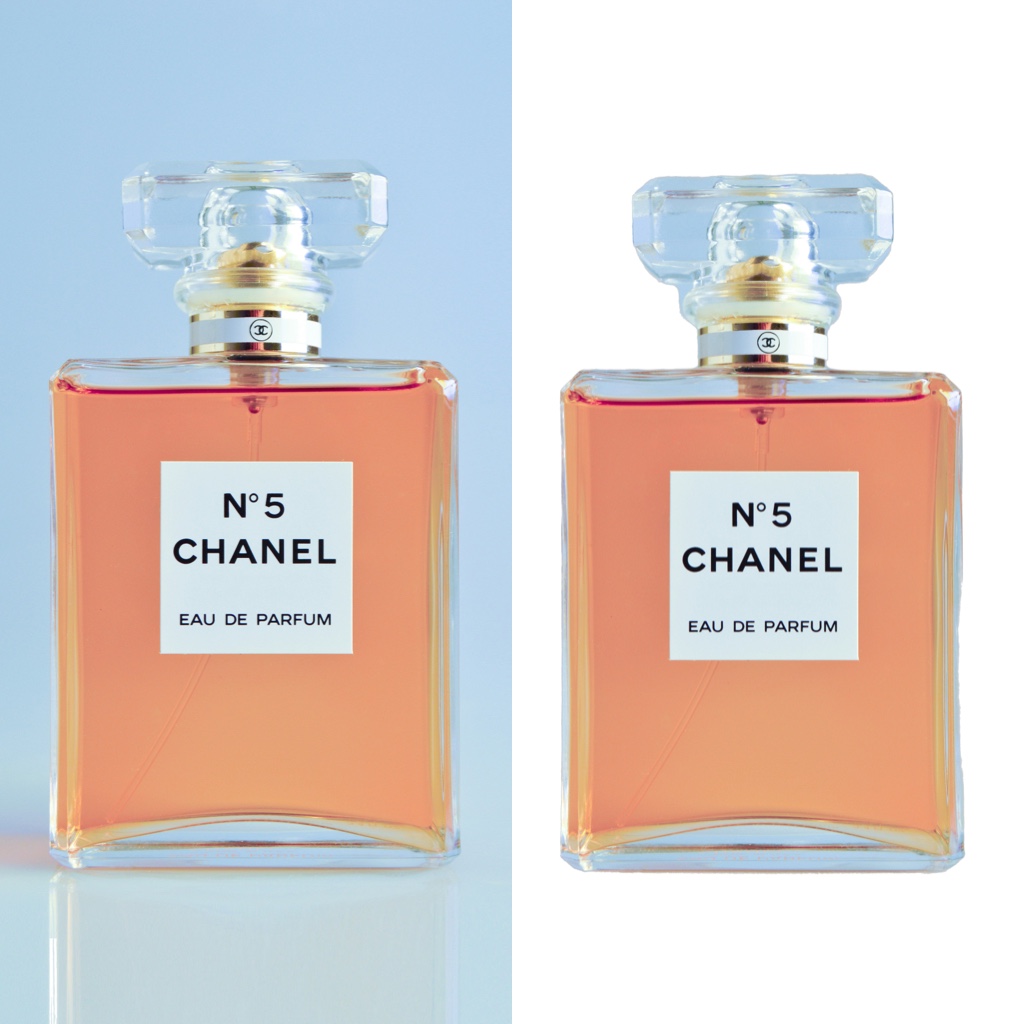
Straight out of the studio — slide to compare.
Every remake starts with raw material, and often the raw material is a subject stuck in the wrong scene. Peel it free. Upload a photo and the cutter traces the outline — hair, whiskers, frayed fabric — then drops the background away, leaving your subject on clean transparency.
There is no lasso to fight and no mask to paint. Soft edges get treated as soft edges: strands stay strands instead of hardening into a sticker outline. Busy markets, plain walls, cluttered desks — the subject lifts off all of them the same way.
What you do with the cutout is the fun part. Set it on a flat color for a storefront listing. Stack several into a collage. Or feed it straight to the Background Changer and build an entirely new world around it. This is also the lightest press in the studio: a Standard run costs a single credit, so you can batch a whole folder of product shots without watching the meter.
Part of the studio
- Feed the result straight into any other tool
- Three quality tiers: Standard, Pro, Max
- Every remake saves to your library automatically
- Finish by upscaling for print or animating into video
Questions, answered
What can I put behind the cutout afterwards?
Anything. Lay it over a brand color, drop it into a flyer, or chain it into the Background Changer to generate a full scene around it. The transparency means the cutout composes cleanly wherever it lands.
How many credits does a cutout cost?
One credit at Standard quality and four at Pro — the cheapest job in the catalog. That pricing is deliberate: cutouts are the step people batch by the dozen.
Does it handle pets and products, not just people?
Yes. Fur, jewelry chains, plant leaves, bicycle spokes — the cutter works from what it sees, not from a list of allowed subjects. Fine, wiry detail is exactly what it was built to trace.
What makes a photo easy to cut?
Decent light and a subject that reads clearly against its surroundings. Extreme motion blur or a subject melting into same-colored shadow gives any cutter less to grip, so shoot a touch brighter when you can.
Is there a free way to use AI Background Remover?
Signing up gives you 4 credits on the house — one Standard-quality run of this tool. A Google account is all it takes; no card involved.
Tools that pair well