PhotomakerPhotomaker

Sketch to Art

Your lines, rendered like you hired a studio

4 free credits at signup — one Standard run, no card.

  • 1Photograph or scan the drawing and upload it at /create
  • 2Brief the render: medium, subject, mood, and anything that must stay
  • 3The remake finishes the art over your composition; iterate on the brief
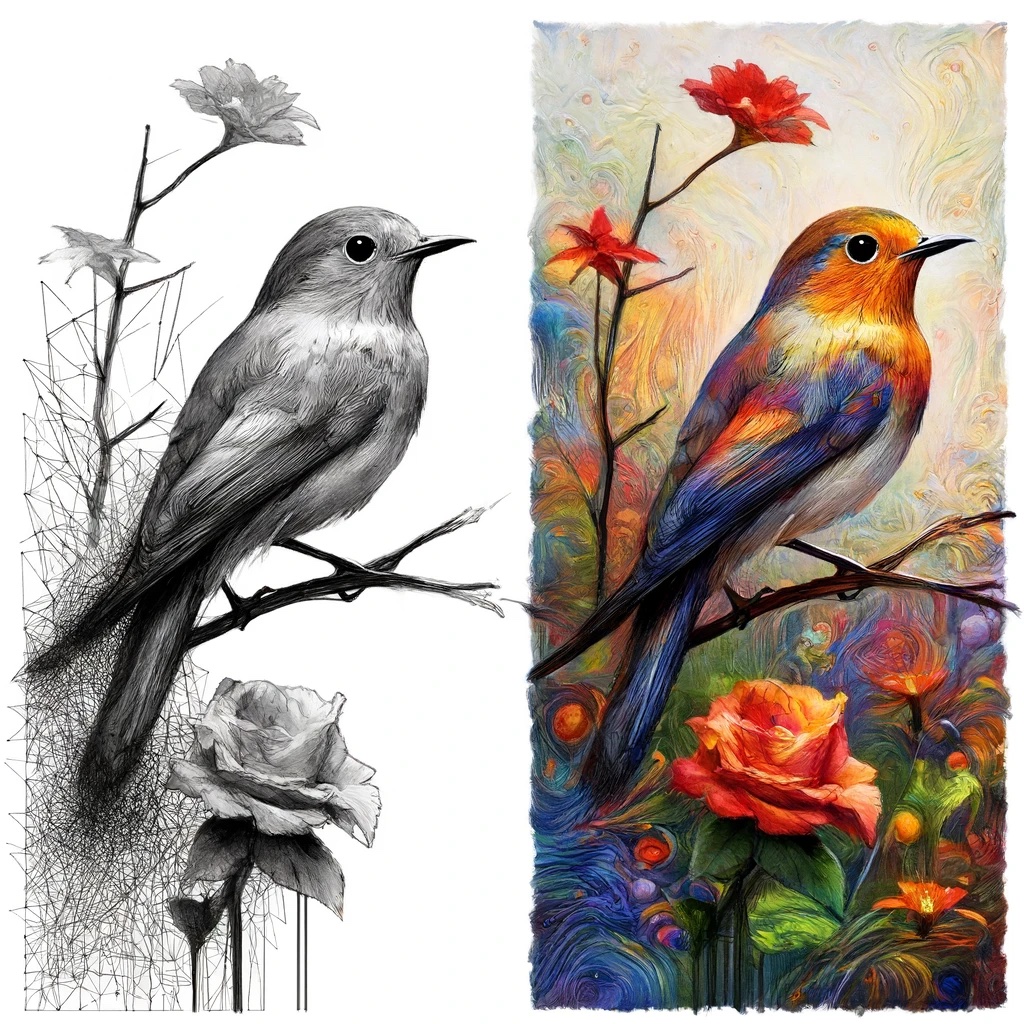
Sketch to Art — after editingSketch to Art — before editing
BeforeAfter

Straight out of the studio — slide to compare.

Ideas do not require technique. The composition in your head — where the lighthouse stands, how the dragon curls, which way the bear leans — fits in a doodle that takes ninety seconds and no talent. What takes a decade is rendering: light, color, materials, finish. This tool splits the job along exactly that line and takes the decade-long half.

Upload the drawing — a phone photo of a napkin qualifies — and describe the destination: medium, subject, mood. The sketch is read as a plan: layout, proportions, gesture. The description is read as an art direction brief. Out comes the finished piece, standing on your composition. Deliberate lines earn obedience; where the sketch is vague, the render decides, so draw the parts you care about.

Kids' scribbles become storybook plates worth framing. Furniture doodles become presentable concept renders. Game-map sketches become environment art. Tattoo ideas become something an artist can actually read. Iterate on the words, not the drawing — the same sketch re-briefed as watercolor, oil, and ink-and-wash gives you three finished directions in three presses.

  • Feed the result straight into any other tool
  • Three quality tiers: Standard, Pro, Max
  • Every remake saves to your library automatically
  • Finish by upscaling for print or animating into video

Questions, answered

Does adding color to my sketch change the result?

Yes — rough color in the sketch reads as intent, and the render honors it. Crayon-blue sky and green hills in the doodle steer the palette without a word in the brief.

Can it turn a floor plan or diagram into a rendered scene?

Spatial sketches work when you brief the viewpoint: 'render this room layout as a cozy interior, camera at the doorway'. The flatter and more abstract the plan, the more the description has to carry.

How do I keep a specific detail exactly as I drew it?

Call it out in the brief: 'keep the crooked chimney exactly as drawn'. Named elements get protected; unnamed ones are fair game for the render's judgment.

What if my sketch has notes and arrows on it?

Stray annotations can leak into the art as literal marks, so either erase them before uploading or tell the brief to ignore the handwriting. A clean sketch is a clearer plan.

Is there a free way to use Sketch to Art?

Signing up gives you 4 credits on the house — one Standard-quality run of this tool. A Google account is all it takes; no card involved.

Your photo has another version in it.

Open Sketch to Art